No Access to Delivery Location Meaning in Tracking and What to Do Next
When tracking shows No Access to Delivery Location, it usually means a delivery attempt was affected by an access problem at the destination. The driver may have reached the area but could not get to the exact drop-off point, or could not safely complete the delivery.
In many cases, the parcel is still with the carrier and may be scheduled for another attempt, held temporarily, or later redirected to a pickup option. This update can appear for many types of addresses, including homes, apartments, offices, gated communities, parcel lockers, and rural locations.
What “No Access to Delivery Location” Means
This status generally indicates that the package was not delivered because the courier could not access the delivery location as needed. It does not necessarily mean the parcel is missing or that delivery has failed permanently.
It often means one of the following:
- The driver could not enter the property or building.
- Required delivery information was missing or incomplete.
- The location was temporarily unavailable for delivery.
- Conditions made access unsafe or impractical.
The next step depends on the carrier, the type of address, and whether another attempt is possible.
Common Reasons This Tracking Update Appears
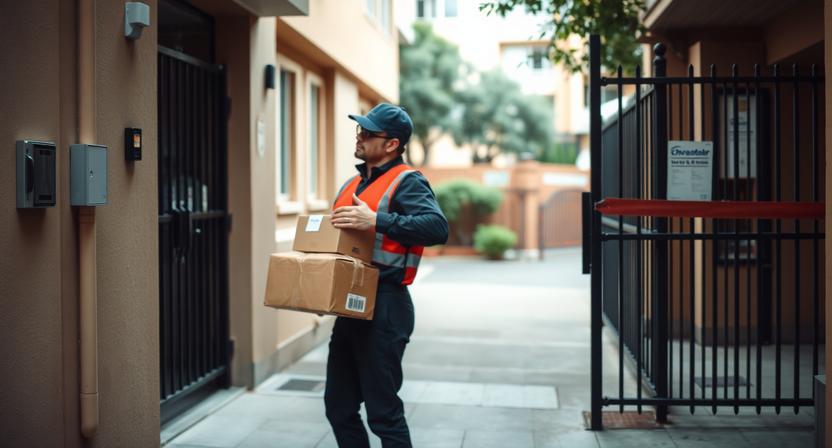
Gated entrance, locked building, or restricted access point
If the property has a gate, locked lobby, controlled entrance, or security checkpoint, the driver may not have been able to enter.
Missing door code, access instructions, or unit number
Apartment deliveries and shared buildings often require a unit number, buzzer name, gate code, or brief instructions. If those details are missing, the delivery may be delayed.
Reception desk, mailroom, or security staff unavailable
Some buildings only accept parcels through a front desk, mailroom, concierge, or security office. If no one was available, the parcel may not have been left.
Business closed at time of delivery attempt
If the shipment was going to a workplace, store, clinic, warehouse, or office, the driver may have arrived outside receiving hours.
Unsafe or blocked access
Weather, road closures, flooding, ice, construction, loose animals, blocked driveways, or similar conditions can prevent a safe delivery attempt.
Delivery vehicle could not reach the address
Limited parking, narrow access, private roads, rural route conditions, or temporary traffic restrictions can also lead to this update.
What It Does Not Always Mean
This tracking message can sound more serious than it is. It does not always mean:
- The parcel is lost.
- The address is completely wrong.
- The shipment will be returned immediately.
- The carrier has stopped trying to deliver it.
Sometimes it is simply a temporary delivery exception before a later attempt, a hold, or a pickup notice.
What to Check First
Review the full tracking history
Look for related updates before and after the access message. Other scans may show whether the parcel is out for delivery again, being held, or waiting for instructions.
Confirm the full delivery address
Check the order details carefully. Make sure the street address, apartment or suite number, building name, and postal code are complete and correct.
Check delivery instructions
If the seller or carrier supports delivery notes, review whether any gate code, intercom information, landmark, or special instruction was added.
Look for a delivery notice
Check for a paper notice, email, text message, or app alert from the seller or carrier. It may explain what happened or show whether redelivery or pickup is available.
Ask people at the address
Check with household members, neighbors, building management, front desk staff, or office reception in case the driver made contact but the parcel was not accepted.
What to Do Next
Wait for the next update if the scan is recent
If the tracking status appeared only recently, the next scan may show the parcel moving again without any action needed.
Update delivery instructions if possible
If the carrier or merchant allows delivery preferences, add any missing information such as an access code, unit number, building name, or receiving instructions.
Contact the seller or sender to verify the address
If you are unsure what details were placed on the shipment label, the seller or sender may be able to confirm whether the address was complete.
Contact the carrier through official support channels
If tracking does not change after a reasonable period, contact the carrier using the official website, app, or support pages listed in the tracking record.
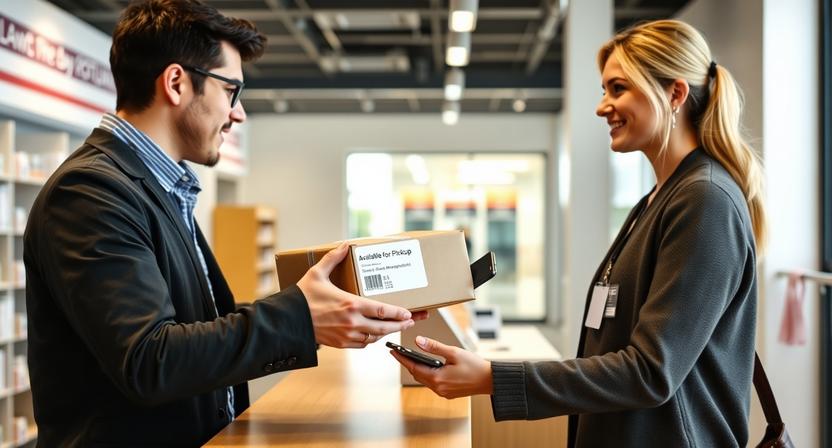
Arrange redelivery or pickup if offered
Some shipments can be redirected, held for collection, or scheduled for another attempt. If tracking or a delivery notice shows these options, use the one that best fits your situation.
If You Live in an Apartment or Gated Community
Shared-access buildings are one of the most common places for this status to appear. To reduce delays, check the following:
- Make sure the apartment number, building name, and entry code are included.
- Confirm that the gate, intercom, or lobby can be accessed during normal delivery hours.
- Let concierge, security, or management know that a parcel may arrive.
- Use a parcel locker or alternate delivery point if that option is available.
If access is often inconsistent, a pickup location may be more reliable than direct-to-door delivery.
If the Delivery Was Going to a Business Address
Business deliveries can fail when the shipment label does not match the receiving setup at the location.
- Check the business hours connected to the shipment.
- Confirm the recipient name, department, floor, and suite number.
- Ask the front desk or mailroom whether they were closed or unable to accept deliveries.
- Consider redirecting the parcel to a location where someone is available to receive it, if that option exists.
This is especially important for offices with limited reception hours or buildings with controlled access.
How Long to Wait Before Following Up
There is no single timeline that applies to every shipment, but a practical approach is:
- Wait for another scan if the status appeared very recently.
- Follow up sooner if the item is urgent, perishable, or time-sensitive.
- Escalate if the same exception repeats or tracking shows no movement after a reasonable period.
If the parcel appears stuck and no new delivery arrangement is shown, it is usually time to contact the seller or carrier.
When to Contact the Seller Instead of the Carrier
Sometimes the seller is the better first contact, especially when shipment details may need to be verified or changed.
- The address on the order confirmation looks incomplete or incorrect.
- The seller arranged the shipment and may be able to request an update or inquiry.
- The parcel was marked undeliverable and may be returned to sender.
- You need a replacement or refund because delivery cannot be completed.
If the seller controls delivery changes for that order, they may need to contact the carrier on your behalf.
Tips to Help Avoid This Status in the Future
- Enter the full address, including unit, floor, and landmark details when relevant.
- Add gate codes or short access instructions where supported.
- Use an address where someone is usually available during delivery hours.
- Choose a pickup point or locker if your location is hard to access.
- Double-check business deliveries for opening hours and recipient details.
Small address details can make a significant difference for apartment buildings, office towers, and gated properties.
Related Tracking Statuses You May Also See
| Status | What it usually means |
|---|---|
| Delivery attempted | A delivery was tried but not completed. |
| Recipient unavailable | No one was available to receive the parcel, or the courier could not complete handoff. |
| Business closed | The delivery location was not open when the driver arrived. |
| Address issue or insufficient address | The shipment may be missing key address details needed for delivery. |
| Held at access point or available for pickup | The parcel is waiting at a collection location instead of going out again immediately. |
| Returned to sender | Delivery could not be completed and the parcel is being sent back to the shipper. |
Quick Summary
No access to delivery location usually means the driver could not reach the final drop-off point because of restricted entry, missing instructions, closed premises, or temporary access problems. It does not automatically mean the parcel is lost or that it will be returned right away.
Start by checking the full tracking history, confirming the address details, and looking for delivery notices or messages. If the status does not change after a reasonable period, contact the seller or the carrier through official support channels and check whether redelivery or pickup is available.