A tracking update that says Delivery Attempted usually means the carrier reached the final delivery stage but could not complete the handoff. This can be confusing, especially if you were expecting the parcel that day, but it does not usually mean the package is lost. In most cases, the shipment is still in the carrier’s network and may be scheduled for another delivery attempt, held for pickup, or awaiting updated instructions.
Carriers do not always use the exact same wording. You may see similar messages such as attempted delivery, delivery exception, could not be delivered, or another status that indicates a delivery was tried but not completed. The best next step is to review the most recent tracking details carefully and look for any instructions connected to the shipment.
What “Delivery Attempted” Means in Tracking
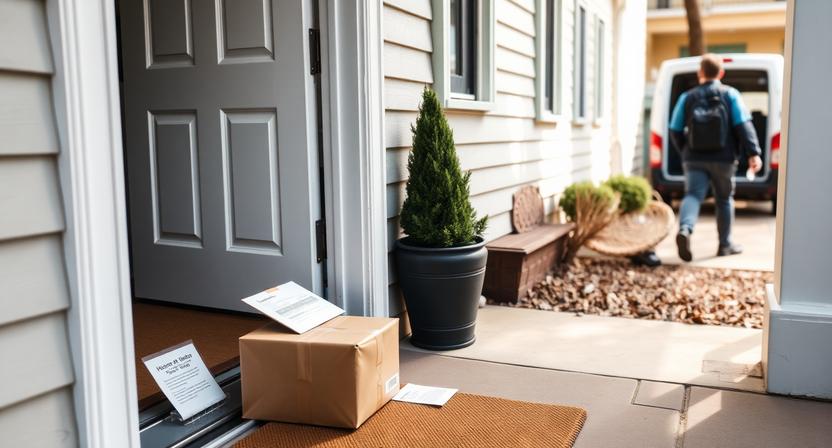
In simple terms, this status means a driver or delivery agent tried to deliver your package but could not hand it over successfully. The parcel may still be on the vehicle, returned to a local facility, or moved to a pickup location depending on the carrier’s process and the type of shipment.
This status often appears when a delivery required a signature, the address could not be accessed, or the package could not be left safely. It may also appear if the carrier needs more information before completing delivery.
- The package has usually reached the destination area.
- The delivery was not completed on that attempt.
- Another attempt, pickup, or address confirmation may be needed.
- The exact wording varies by carrier and service.
Common Reasons a Delivery Attempt Was Unsuccessful
There are several common reasons why a carrier may mark a package as delivery attempted.
- No one was available: If a signature or in-person handoff was required, the driver may not have been able to leave the parcel unattended.
- Access problems: Locked gates, apartment entry issues, reception restrictions, or building access rules can prevent delivery.
- Address problems: Missing unit numbers, unclear address details, or incorrect postal information can make the location difficult to identify.
- Unsafe delivery conditions: Weather, security concerns, loose animals, or lack of a safe drop-off spot may stop the driver from leaving the package.
- International delivery requirements: For cross-border shipments, customs fees, duties, taxes, or missing documentation may block final handoff.
How to Confirm What Happened
Before requesting changes, take a few minutes to confirm the reason for the failed delivery attempt.
- Check the latest tracking scan for any explanation attached to the status.
- Look for a delivery notice left at the door, mailbox, reception desk, or building entrance.
- Review the tracking page to see whether it mentions redelivery, pickup, address correction, or support instructions.
- Verify the shipping address in your order confirmation, including unit number, postal code, and recipient name.
- Ask household members, neighbors, reception staff, or building management whether someone received a notice or spoke with the driver.
Sometimes the tracking page gives only a short update at first, and more detail appears later after the package is scanned again at a local facility.
What to Do Right After You See This Status
If you just noticed the update, it is often best to act promptly but not assume the package needs immediate intervention. Some carriers make another attempt automatically or update the shipment later the same day.
- Check tracking again later that day for a new scan.
- Look for options to reschedule delivery or request pickup.
- Have your tracking number, delivery address, and recipient identification ready.
- If the shipment is urgent, use the official support channels shown on the carrier’s website or app, or contact the seller for guidance.
If the package is already being held at a local location, the tracking page or notice may show a deadline for collection.
How to Reschedule Delivery
Many carriers allow delivery changes through their tracking page or delivery management tools, but the available options depend on the shipment type and whether the sender has restricted changes.
- Sign in to the carrier’s delivery management page if the tracking page offers that option.
- Select an available delivery change, such as a new date, delivery window, leave-at-door preference, or alternate instructions if permitted.
- Review any address edits carefully before submitting them.
- Save any confirmation number, email, or screen capture for reference.
- Keep monitoring tracking for the next status update.
Be careful when changing delivery details. Incorrect updates can lead to further delays or another failed attempt.
How to Collect the Package Yourself
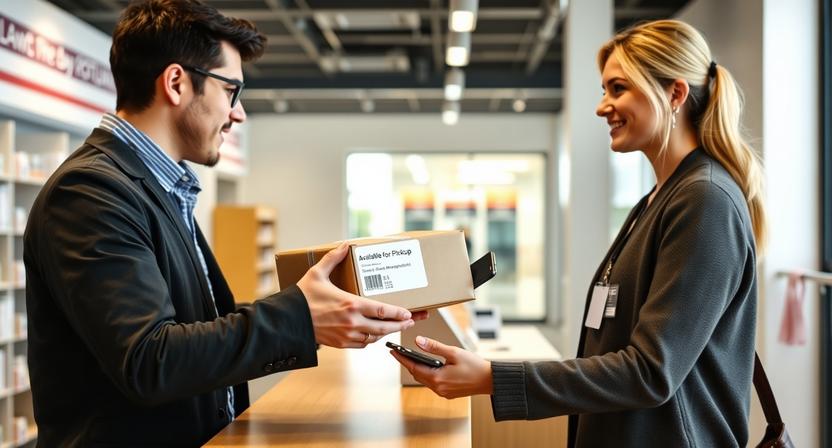
If redelivery is not practical, pickup may be the fastest option. After an attempted delivery, some parcels are moved to a local depot, post office, parcel locker, or partner pickup point.
- Confirm the exact pickup location listed in tracking or on the notice.
- Check the location’s opening hours and the deadline for collection.
- Bring any required identification, pickup code, notice slip, or tracking number.
- Make sure the name on the identification matches the shipment details if that is required for release.
If someone else will collect the package, review the carrier’s official instructions first, since release rules vary.
When the Tracking Does Not Show a Reschedule Option
Not every shipment can be changed online. Sometimes the option appears only after the parcel is processed at the local facility, and in other cases only the sender can request changes.
- Wait for the next tracking update in case new options appear.
- Check whether the shipment is now marked for pickup or another delivery attempt.
- Contact the sender if delivery changes appear to be restricted.
- Ask the sender whether they can request redelivery, correct the address, or add more delivery instructions.
This situation is common with certain business shipments, international parcels, or services that require the shipper to control delivery changes.
How Long the Package May Be Held
There is no single hold period that applies to every package. The amount of time a parcel is held depends on the carrier, the service level, the destination, and the type of pickup location.
To avoid missing the deadline, check:
- The official tracking page
- The delivery notice
- Any email or text alerts linked to the shipment
If the package is not collected within the allowed hold period, it may be returned to the sender. That is why it is important to act as soon as you know the parcel is waiting.
Special Situations to Watch For
Signature-required shipments
If the shipment needs a signature, someone may need to be present during the next delivery attempt. In some cases, a signed release or pickup at a designated location may be available, but that depends on the carrier and service.
Apartment and office deliveries
Missing suite numbers, entry codes, company names, or reception details often cause failed deliveries. If the carrier allows updates, provide complete access information to help avoid another attempt failure.
International parcels
Cross-border shipments may be delayed if duties, taxes, customs documents, or identity checks are still pending. Review the tracking details carefully for any instruction about payment or documentation.
High-value items
Expensive or sensitive shipments may have tighter delivery controls. The carrier may require ID verification, a direct handoff, or pickup rather than leaving the parcel unattended.
How to Avoid Another Failed Delivery Attempt
While not every delivery issue can be prevented, a few steps can reduce the chance of another unsuccessful attempt.
- Double-check the shipping address before ordering.
- Add clear delivery instructions if the seller or carrier allows them.
- Include apartment, suite, floor, building, or entry details where needed.
- Use a work address, pickup point, or parcel locker if you are often away from home.
- Track the package closely near the expected delivery date.
- Make sure the phone number and email address on the order are current.
When to Contact the Seller Instead of the Carrier
Sometimes the seller is the better first contact, especially if the shipment settings prevent the recipient from making changes.
- The tracking has not changed for an extended period after the attempted delivery.
- The package appears to be returning to sender.
- You cannot access delivery-change options.
- The seller may need to correct the address or authorize redelivery.
- The package seems missing, damaged, or the tracking details are unclear and no notice was left.
If you contact the seller, provide the tracking number, the latest tracking status, and any relevant details about the address or delivery location.
Key Takeaways
Delivery Attempted means the carrier got to the delivery stage but could not complete the handoff. In many cases, the parcel is still nearby and can be delivered again or collected from a local location.
The most practical next steps are to review tracking, check for a delivery notice, verify the address, and look for reschedule or pickup options. If the package is being held, pay attention to any deadline, since unclaimed shipments may be returned to the sender.
If you see this status, do not assume the shipment is lost. Start by checking the latest tracking details and act quickly if the package is awaiting pickup or address confirmation.
For more general guidance, use the shipment’s official tracking page and follow any instructions attached to the latest status update.