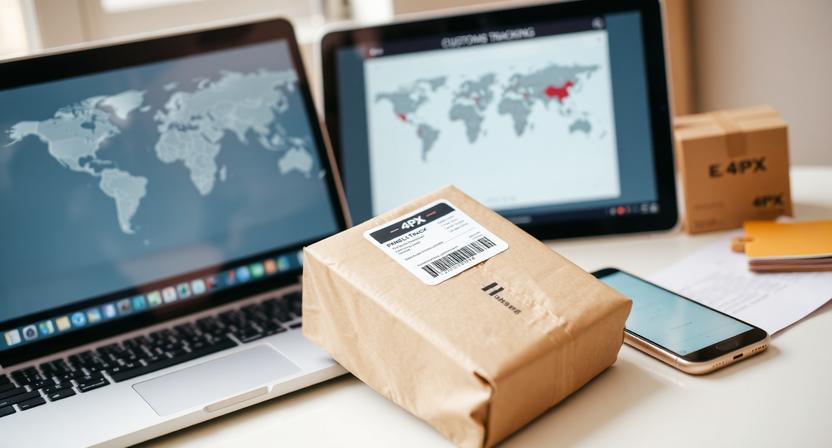
99Minutos tracking helps customers follow a shipment from the time shipping information is created to the final delivery stage. This guide explains where to find a tracking number, how to check updates, what common statuses usually mean, and what to do if a delivery attempt fails or a parcel appears delayed. Tracking visibility depends on scans recorded during handling, transport, and delivery, so updates may not appear continuously.
What 99Minutos Is
99Minutos is a logistics and delivery company used by e-commerce sellers and marketplaces to move orders to customers. If a store uses 99Minutos for shipping, the customer may receive a tracking number from the seller, through a marketplace order page, or in a shipping confirmation email.
How to Track a 99Minutos Package
- Go to the carrier tracking page or the marketplace tracking page linked to your order.
- Enter the tracking number exactly as provided.
- Check the merchant order page as well if the purchase was made through an online store or marketplace.
- Review tracking periodically, since scans may appear only at certain points in transit.
- If no result appears, confirm there are no extra spaces, missing characters, or typing errors in the tracking number.
If the shipment is newly created, it may take some time before the first visible scan appears.
Where to Find the Tracking Number
- Shipping confirmation email from the store or marketplace
- Order details page in your merchant account
- SMS or app notification, if the seller provides one
- Shipping label or receipt, when available
If you cannot find the number in any of these places, the seller or marketplace is usually the first point of contact.
Common 99Minutos Tracking Status Meanings
Label Created or Shipment Information Received
This usually means shipment data was generated, but the package may not have started moving yet. In many cases, the seller has prepared the label before the parcel is physically handed to the carrier.
Likely next step: a pickup, collection, or first processing scan.
Picked Up or Collected
This status generally means the parcel has been received from the sender or from a pickup location and entered the delivery network.
Likely next step: movement to a sorting or processing facility.
In Transit
The shipment is moving through the network between facilities or toward the destination area. This status can remain visible for some time if no intermediate scan is posted.
Likely next step: arrival at a local facility, sorting center, or delivery route preparation.
At Sorting Facility or Processing Center
The parcel is being sorted for the next transport step. This can happen more than once during a shipment, especially if it passes through multiple hubs.
Likely next step: departure to another facility or transfer to the local delivery area.
Out for Delivery
This status typically means the package is with a driver or courier and is scheduled for delivery that day. It does not always guarantee immediate delivery, but it usually indicates the parcel is on the final route.
Likely next step: delivery, a delivery attempt notice, or a later update if the route could not be completed.
Delivered
The shipment has been marked as delivered. In some cases, it may have been left with a household member, building staff, reception desk, mailroom, or another accepted drop-off point, depending on the order and location.
Likely next step: no further movement unless a delivery issue is reported.
Delivery Exception
This usually means delivery was delayed or interrupted by an issue that prevented normal progress. The reason may be operational, address-related, access-related, or temporary.
Likely next step: another delivery attempt, a hold update, a request for clarification, or a return process if the issue is not resolved.
Returning to Sender
This means the parcel is being sent back to the shipper. It can happen after repeated delivery problems, address issues, refusal, or other unresolved delivery obstacles.
Likely next step: transit back to the seller or original sender.
Why Tracking May Not Update
Tracking does not always refresh at every stage. A lack of visible movement does not necessarily mean the shipment is lost.
- The label may have been created before the parcel was physically handed over.
- The shipment may be between scan points.
- High shipping volume, weekends, or holidays may slow visible updates.
- A barcode scan may have been missed, and later events may appear out of sequence.
- The seller may still be preparing the order before releasing it to the carrier.
If the status remains unchanged for longer than expected, check again later and compare the timing with the order date and any merchant delivery estimate.
What a Failed Delivery Attempt Usually Means
A failed delivery attempt generally means the courier could not complete delivery on that visit. It does not automatically mean the package will be returned immediately. In many cases, another attempt or a follow-up step appears later in tracking.
Common situations include:
- The recipient was not available.
- Access to the address was limited.
- Address details were incomplete or difficult to verify.
- Local operational or route issues delayed completion of the stop.
Common Reasons for Failed Delivery Attempts
- No one available to receive the parcel when a signature or direct handoff is needed
- Incorrect, incomplete, or unclear address details
- Building access restrictions such as gates, reception rules, or security checks
- Weather, traffic, or route disruptions affecting the attempt
- Missing or unavailable contact details when clarification is needed
Sometimes the tracking page includes a short note about the issue, but not every shipment will show a detailed explanation.
What to Do After a Failed Delivery Attempt
- Recheck the tracking page for the latest note or next update.
- Verify the shipping address and contact details in the order information.
- Review any delivery instructions you entered during checkout or in the merchant account.
- Monitor for a new delivery attempt or a hold-for-pickup update, if one is provided.
- Contact the seller or marketplace first if the tracking information is unclear.
If the address needs correction, the seller or marketplace may be able to advise what options are available for that order. Not all shipments can be changed once they are already in transit.
If Tracking Shows Delivered but the Package Is Missing
If the shipment is marked delivered but you cannot find it, take a few practical steps before escalating the issue.
- Check around entrances, mail areas, parcel lockers, reception desks, and any usual drop-off spots.
- Ask household members, neighbors, or building staff whether they accepted the parcel.
- Review the delivery address in the order confirmation to make sure it matches your intended location.
- Wait a short period and refresh tracking in case the final scan was posted slightly early.
- Contact the seller or marketplace to report the issue and request follow-up.
When reporting a missing delivered package, it helps to provide the tracking number, order number, delivery address, and a short description of what you already checked.
When to Contact Support
Support may be needed if:
- No tracking updates appear after a reasonable processing period
- The parcel is stuck on the same status for an unusually long time
- Multiple failed delivery attempts appear with no next step shown
- The shipment is marked delivered but cannot be located
- The tracking number is not recognized and the seller cannot verify it
In most order situations, the seller or marketplace should be contacted first because they can confirm the shipment details and help coordinate the next step.
How to Get Help
- Start with the merchant or marketplace where the order was placed.
- Provide the tracking number, order number, and delivery address details.
- Describe the issue clearly, such as missing updates, failed attempts, or a delivery discrepancy.
- Keep screenshots of the tracking history and order confirmation for reference.
Clear and complete information can make it easier for support teams to review the shipment history and respond accurately.
Tips to Avoid Delivery Problems
- Enter the full address carefully, including apartment, unit, floor, gate, or building details.
- Add a reachable phone number and email when placing the order.
- Monitor tracking around the expected delivery window.
- Leave clear delivery instructions when the seller or platform allows it.
- Respond quickly to any message from the seller or platform about address verification.
Small address or access details can make a significant difference in whether the courier can complete delivery on the first attempt.
Frequently Asked Questions
How long does it take for 99Minutos tracking to appear?
It can appear shortly after the seller creates and shares the shipment, but sometimes the first visible update does not show until the package is picked up or scanned into the network. If the order is very recent, checking again later is often the best first step.
What should I do if my tracking number does not work?
First, confirm the number was entered correctly with no extra spaces or missing characters. If it still does not work, review the merchant order page and contact the seller or marketplace to verify the tracking number and shipment status.
Does a failed delivery attempt mean the package will be returned?
No. A failed attempt usually means delivery could not be completed on that visit. Another attempt or another instruction may appear later. Return-to-sender status usually appears only if the issue remains unresolved.
Can I change the delivery address after shipment?
That depends on the seller, marketplace, and shipment stage. Some orders may allow limited changes, while others may not be modifiable once they are in transit. The seller or marketplace is the best starting point for checking what is possible.
Who should I contact first: 99Minutos or the seller?
Start with the seller or marketplace where you placed the order. They can confirm shipment details, check the order record, and advise on the appropriate next step if the tracking is unclear or delivery failed.
Conclusion
Understanding 99Minutos tracking statuses can help you respond more quickly when a parcel is delayed, a delivery attempt fails, or a shipment appears delivered but is missing. Check tracking regularly, verify your address details, and contact the seller or marketplace when the updates do not match the delivery situation. In many cases, a careful review of the latest status and order information is enough to identify the most likely next step.