Introduction
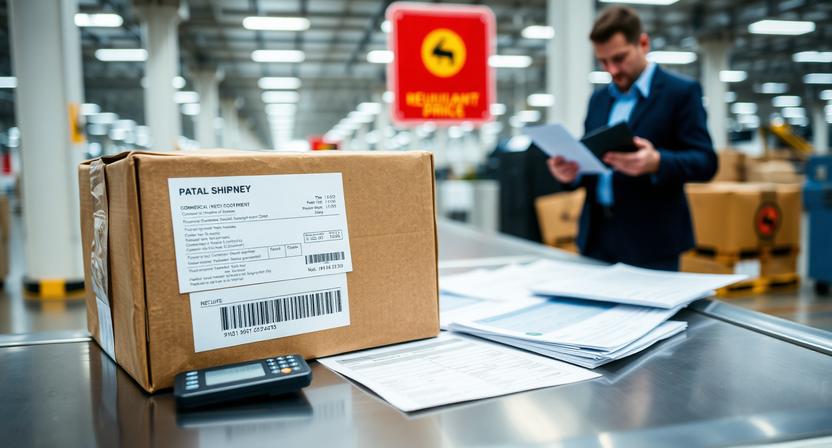
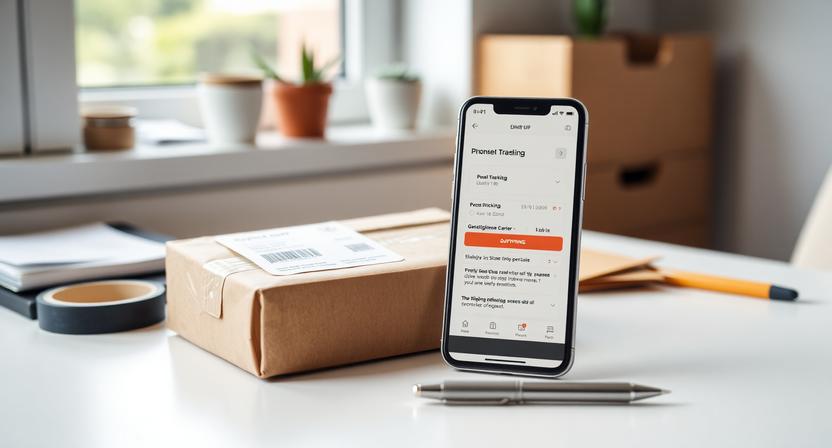
Label Created, Not Yet in System is a common tracking message that usually means a shipping label has been made, but the parcel has not yet been fully accepted into the carrier’s network.
This status appears across many carriers and marketplaces because the tracking number is often generated before the package receives its first physical scan. In simple terms, the shipment information exists, but the carrier may not have the parcel yet, or the first scan has not been posted to tracking.
For most shipments, this is a normal early-stage update. It does not automatically mean something is wrong. However, if the status does not change after several business days, it may be time to check with the sender.
What “Label Created, Not Yet in System” Means
This status generally indicates that the sender has purchased postage or created a shipping label. At that point, a tracking number is assigned and may appear in the carrier’s system before the package begins moving.
In practical terms, one of the following is usually true:
- The parcel is still with the sender and has not been handed to the carrier.
- The parcel was handed over, but the first scan has not yet appeared online.
- The carrier has shipment data, but not a confirmed acceptance scan.
Different carriers use different wording for the same stage. Similar messages include Shipment information received, Pre-shipment, or Awaiting item. While the exact phrase varies, the meaning is usually similar: the shipment record exists, but the carrier has limited or no physical scan data yet.
What Usually Happens Behind the Scenes
Several steps can happen between label creation and the first visible tracking update:
- The seller or shipper prints the label.
- The parcel is packed and prepared for dispatch.
- A pickup is scheduled, or the sender plans to drop the parcel off.
- The package waits for collection, acceptance, or arrival at an origin facility.
- The first scan is posted when the carrier processes it.
That first scan may happen at different points depending on the carrier and the shipping method. Sometimes it appears when the parcel is accepted at a counter. In other cases, it appears only after pickup or after the shipment reaches a sorting facility.
It is also important to remember that tracking systems do not always update instantly. A package can be physically moving even if the online status has not changed yet.
Common Reasons This Status Stays for a While
If Label Created, Not Yet in System remains visible for longer than expected, there are several common explanations:
- The package has not been dropped off yet. The sender may have created the label before physically shipping the parcel.
- Scheduled pickup has not happened. Some businesses prepare shipments in advance and wait for a daily collection.
- The parcel missed the day’s cutoff. If the label was created late in the day, the package may not enter processing until the next business day.
- The initial scan was delayed or skipped. Not every shipment receives a scan at every step.
- Weekend, holiday, or high-volume delays are affecting processing. Carrier networks often move more slowly during busy periods.
- The seller created the label before the order was fully ready. This can happen with marketplace sellers or businesses that prepare batches of outgoing shipments.
In many cases, the delay is administrative rather than physical. The label exists, but the parcel has not yet reached the point where tracking updates become visible.
How Long It Can Last
A short delay is common, especially within the first 24 to 48 hours after the label is created. This is often not a cause for concern, particularly if the shipment was prepared late in the day or near a weekend.
How long the status lasts depends on factors such as:
- The carrier and service type
- The sender’s handling process
- The shipping origin and destination
- The day of the week
- Weather or operational disruptions
- Seasonal shipping volume
Longer pre-scan delays can happen during peak periods, but if there is still no acceptance-type update after several business days, follow-up becomes more reasonable.
When It Is Usually Not a Problem
This status is often routine in the following situations:
- The label was created very recently.
- The order was placed late in the day.
- The order was placed on a weekend or just before a holiday.
- The seller stated a handling time before shipment.
- Your order page still shows that the shipment is being prepared.
In these cases, the most likely explanation is simply that the sender has not completed handoff yet, or the carrier has not posted the first scan.
When to Take Action
Although short delays are normal, there are times when follow-up makes sense. Consider taking action if:
- There is no movement after about 2 business days from label creation for a time-sensitive order.
- There is still no update after about 3 to 5 business days for a standard shipment.
- The estimated delivery window is getting close, but tracking still shows no acceptance scan.
- The sender cannot confirm that the parcel was actually handed to the carrier.
- The item is expensive, urgent, perishable, or difficult to replace.
These situations do not guarantee the package is lost, but they do increase the chance that the issue is with dispatch rather than with tracking visibility alone.
What to Do First
Before contacting anyone, it helps to do a few basic checks:
- Recheck the tracking number. Make sure there are no typing errors.
- Confirm the order status. Look at your store or marketplace account for shipping and dispatch details.
- Review handling time. Some sellers have a stated ship-by window.
- Wait through the next business day if the label was just created. Immediate updates are not always available.
- Refresh tracking on the carrier’s official page. Third-party tracking sites can lag behind.
These steps can help distinguish a normal early delay from a situation that actually needs follow-up.
Who to Contact and in What Order
If there is still no movement, contact parties in this order:
- Contact the seller, retailer, or shipper first. They created the label and are best placed to confirm whether the parcel was handed to the carrier.
- Ask directly whether the shipment has been physically dispatched. A label alone does not confirm handoff.
- Contact the carrier only if the shipper confirms acceptance or handoff. If the seller says the parcel has already been given to the carrier but tracking still shows no scan, the carrier may be able to check whether the first event is delayed.
- Review marketplace timelines if applicable. If the purchase was made through a marketplace, make sure you do not wait past any buyer protection or dispute deadlines.
In most cases, the sender is the right first contact because the issue is often at the pre-dispatch stage.
What Information to Have Ready
When contacting the seller or carrier, keep the following details ready:
- Tracking number
- Order number
- Date and time the label was created, if shown
- Item details
- Shipping method
- Any seller messages about dispatch timing
Providing clear information can help support teams confirm whether the parcel was shipped, is awaiting collection, or needs further investigation.
Can the Package Still Arrive Normally?
Yes. A package can still arrive normally even if tracking stays on Label Created, Not Yet in System for a while.
Some shipments receive their first visible update only after reaching a sorting center or origin facility. Others may show fewer scans than expected throughout the journey. For that reason, delayed tracking visibility does not always mean the parcel is lost or mishandled.
That said, the longer the shipment stays in a pre-scan status, the more likely it is that there is a dispatch or fulfillment issue rather than a simple tracking delay.
Tips to Avoid Confusion in Future Shipments
To reduce uncertainty with future orders, consider these practical steps:
- Check seller handling times before ordering.
- Place urgent orders early in the business week when possible.
- Save confirmation emails and shipment notices.
- Use the carrier’s official tracking page for the latest status.
- Compare the promised dispatch date with the first tracking event.
These habits can make it easier to judge whether a shipment is moving normally or whether follow-up is needed.
Conclusion
Label Created, Not Yet in System usually means the shipment is still in the pre-acceptance stage. The label exists, but the parcel may not yet have been scanned into the carrier network.
Short delays are common, especially during the first day or two, around weekends, or during busy periods. If the status remains unchanged for several business days, the practical next step is to contact the sender and confirm whether the package was actually handed to the carrier.
In most cases, a brief wait is appropriate. If tracking still does not change after that, a simple follow-up with the shipper is the best way to clarify what is happening.